Distribution Register (Tax Report)
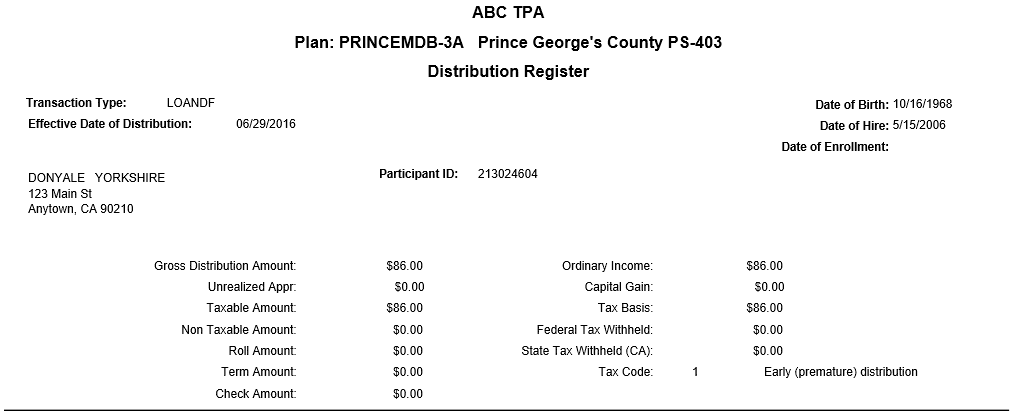
The Distribution Register (Tax Report) provides the Plan sponsor with basic participant statistics and financial information for each loan, in-service withdrawal, and/or distribution within a given time frame. You can generate the reports by individual participant or Plan.
How to Access the Distribution Register (Tax Report) window:
On the Reports menu, point to Distribution Reports, and then click Distribution Register.
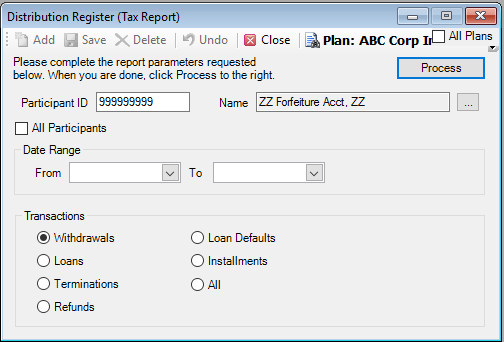
How to Create a Distribution Register
1. Select the Plan for which you are generating the report.
2. Select the participant by typing the Participant ID or select a participant from the Participant Search list.
Or
Select the All Participants check box to generate a distribution for all plan participants.
3. Enter the date range for the transactions you want to include in the distribution register.
4. Click All or the transaction type to include in the register:
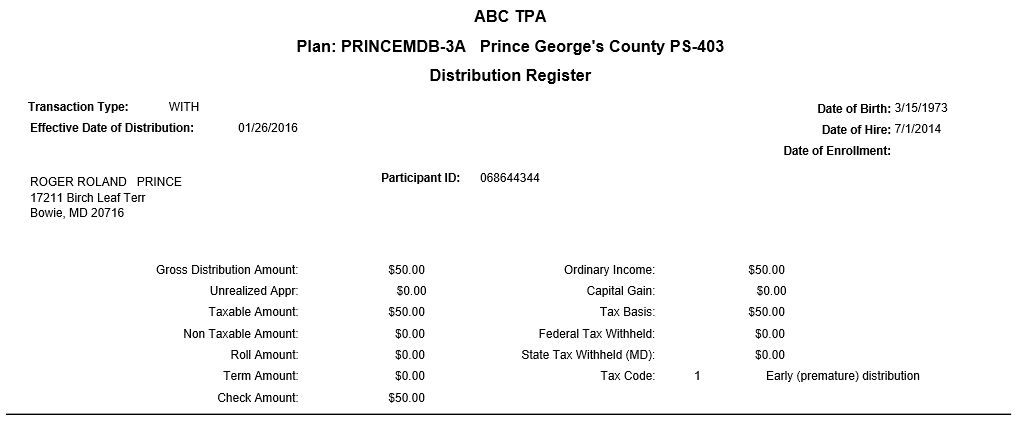
Withdrawals. This report will reflect the gross amount of the withdrawal, tax withheld if any and the net amount of the transaction. It will include information pertaining to additional Plan features such as after-tax funds and/or fees charged for the transaction. A summary of the distribution by fund is also provided.

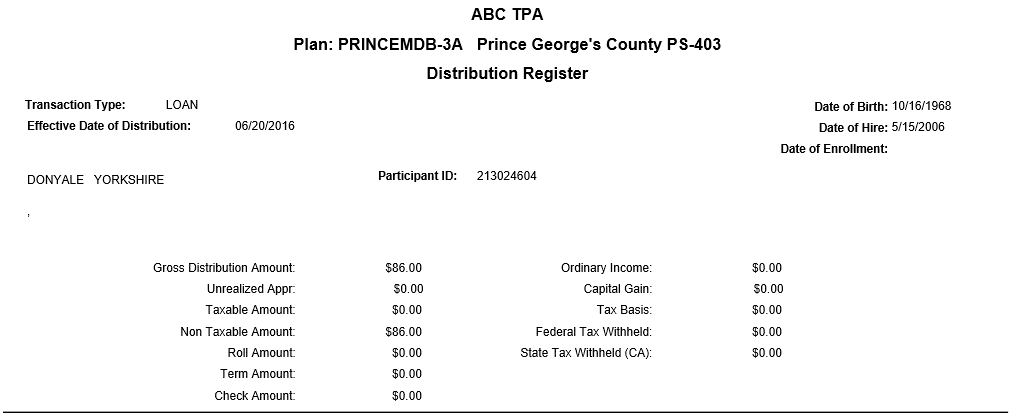
Loans: This report will reflect the principal loan amount as well as the payment amount and number of payments required per year. A summary of the loan distribution by fund is also provided.

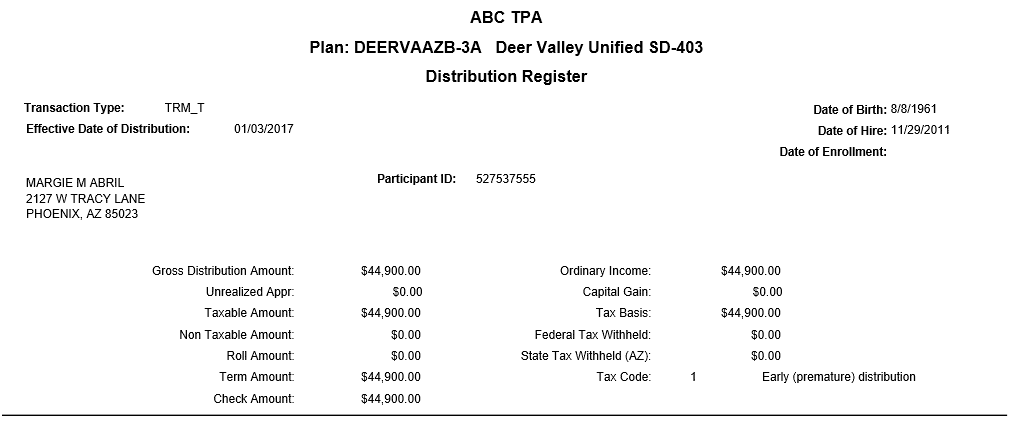
Terminations: Cash distributions will reflect transaction detail by fund, as well as the appropriate tax code and amount(s) withheld. Rollover transactions will contain the payee information as entered on the Transactions > Distributions > Terminations screen.
Refunds: (Currently Not Used)
Loan Defaults:
Installments: (Currently Not Used) This report will reflect the Installment ID, gross amount of the installment, tax withheld if any and the net amount of the transaction. It will include information pertaining to additional plan features such as after-tax funds and/or fees charged for the transaction. A summary of the distribution by fund is also provided.
Note: All statements will provide participant demographic information such as SSN, address, date of birth, etc.
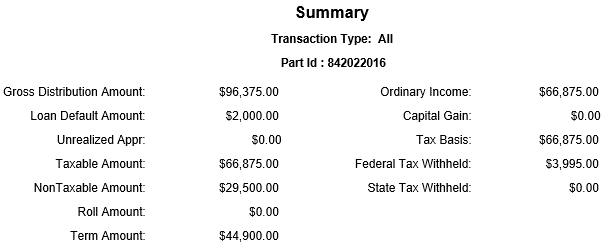
5. When you are done, click Process to generate the distribution register. The report will be sorted by SSN and will contain a summary of the gross distribution, taxable amounts, taxes withheld and tax codes. It will also contain participant demographics.

Explanation of Fields:
|
Field |
Description and Requirements |
Required / Optional |
|
Date Range |
Enter the date range to be used in gathering transactions for the statements. Use the mm/dd/yyy format or use the calendar. |
Required |
|
Loans |
Select to include loan transactions in the report. |
Optional |
|
Withdrawals |
Select to include withdrawal transactions in the report. |
Optional |
|
Terminations |
Select to include termination transactions in the report. |
Optional |
|
Refunds |
(Currently Not Used) Select to include refund transactions in the report. |
Optional |
|
Loan Defaults |
Select to include loan defaults in the report. |
Optional |
|
Installments |
(Currently Not Used) Select to include installment transactions in the report. |
Optional |