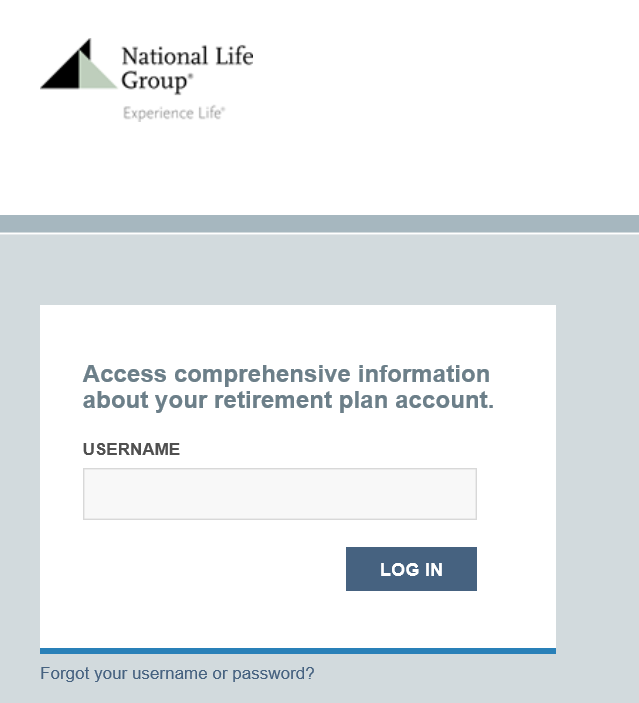
How to Add a Logo to the AWEB/PWEB/SWEB Login Page
Important Notes:
- .png, .bmp, and .jpg file types are allowed.
- If the image is larger than 250 pixel by 77 pixel, then the system will scale it down to this size.
- The filename cannot contain any special characters or spaces; only letters, numbers and underscores.
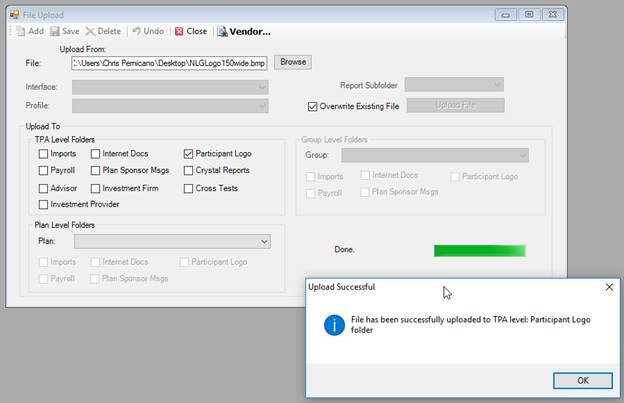
1. Go to File->Upload to upload the logo to the TPA Level Participant Logo folder.
a) Select the logo file by clicking on the <Browse> button.
b) Enable the Participant Logo check box in the TPA Level Folders section.
c) Enable the Overwrite Existing File check box.
d) Click the <Upload File> button.
2.
Go
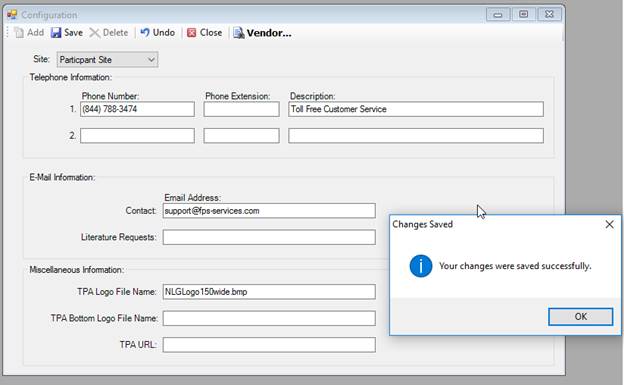
to Setup->Web Maintenance->Configuration.
Under the Miscellaneous Info section, enter the TPA logo file name in
the TPA Logo File Name field and click  .
.
3. Go to the login page and verify the logo appears correctly.