How to Deactivate a Participant
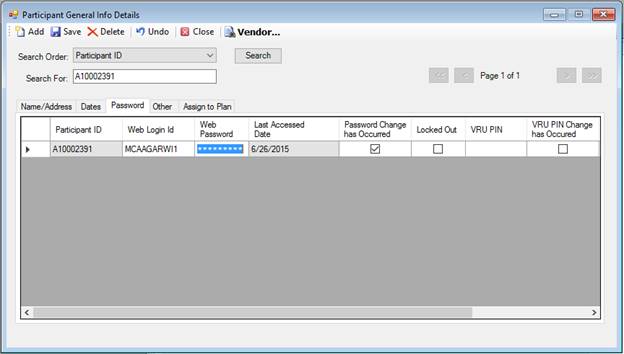
1. Go
to Setup > Participants > General Information – Password tab, change the
value in the Web Password field, and click
 to save these changes.
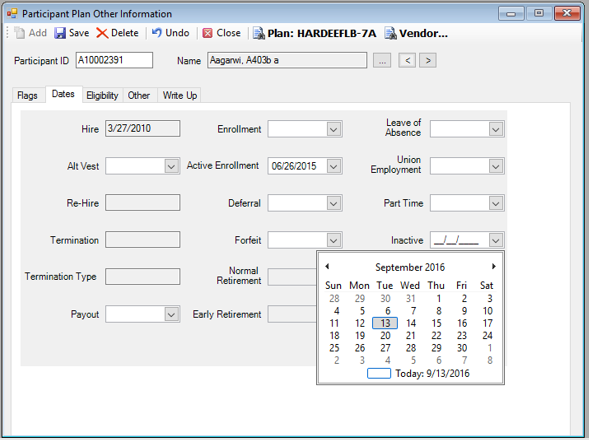
2. To update
specific dates associated with a Participant (“Inactive” date, etc.), go to
Setup > Participants > Participant Plan Other Information – Dates tab,
enter the corresponding date(s) and click .
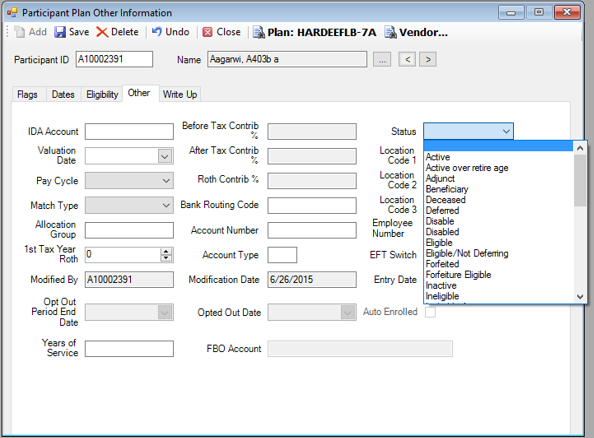
3. To
update a Participant’s status, go to Setup > Participants > Participant
Plan Other Information – Other tab, select an appropriate Status from the drop
down list, and click .