How to Deactivate a Plan
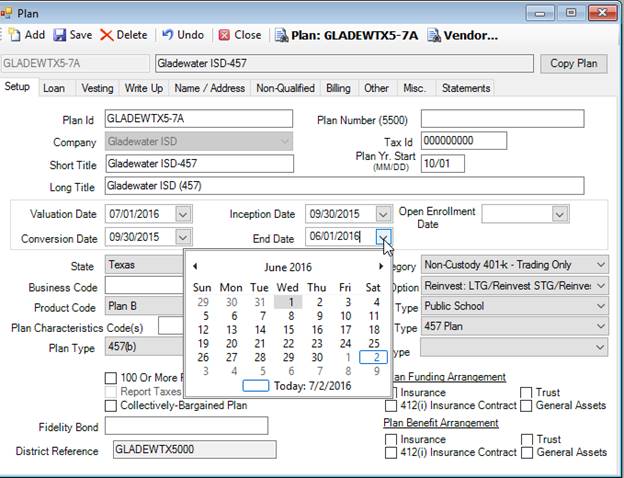
1. Go to Setup > Plans > Plan – Setup tab and enter an End Date.
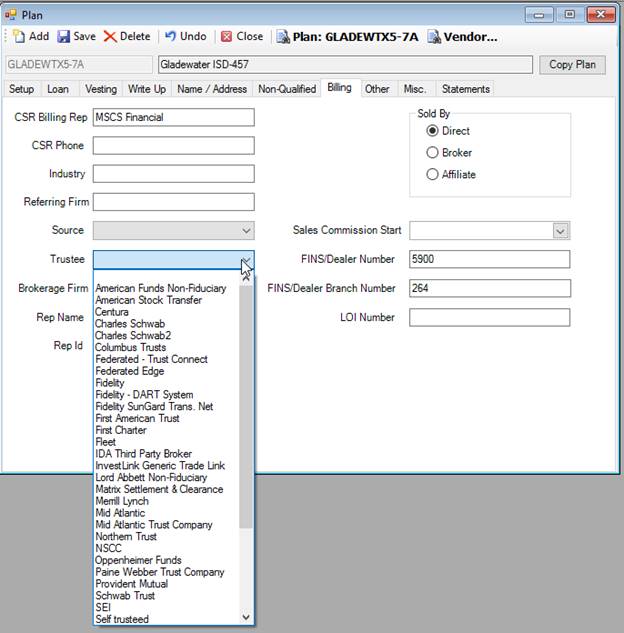
2. If you don’t need any more trading to occur, go to Setup > Plans > Plan – Billing tab and remove the Trustee.
3.
Click  to save these
changes.
to save these
changes.
1. Go to Setup > Plans > Plan – Setup tab and enter an End Date.
2. If you don’t need any more trading to occur, go to Setup > Plans > Plan – Billing tab and remove the Trustee.
3.
Click to save these
changes.