__________________________________________________________________________________
How to Create an Annuity Product
1. Go to Setup > Products > Product. The Product Setup window is displayed.
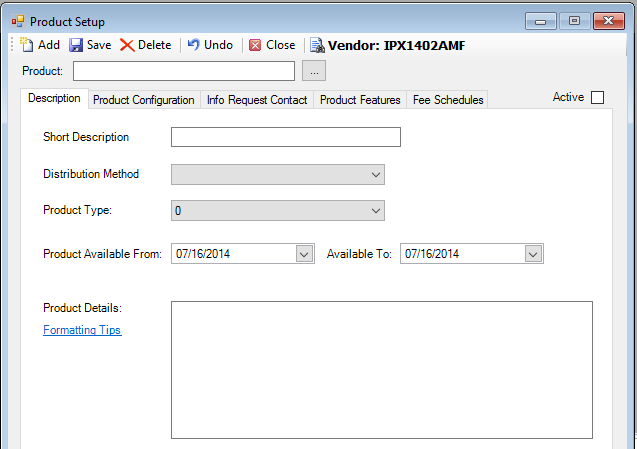
2. Click on the  icon, highlight the vendor
IPX1405LSW, National Life Group, and click <Select>.
icon, highlight the vendor
IPX1405LSW, National Life Group, and click <Select>.
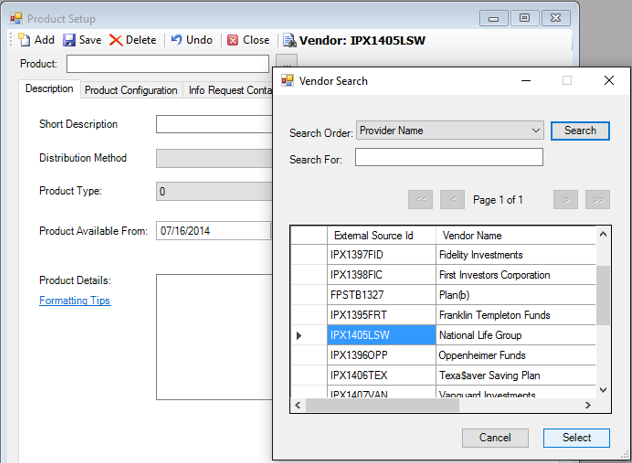
3. Click the  icon.
icon.
4. Enter the product name in the Product: field.
5. Enter the short description in the Short Description field.
6. Enter the product details in the Product Details: field.
7. Set the Distribution Method to “Advisor Required”, since annuities are advisor required.
8. Set the Product Type: to “Annuity – Indexed”.
9. Set the Product Available
From: date to today's date (otherwise, it won't be available for
authorization).
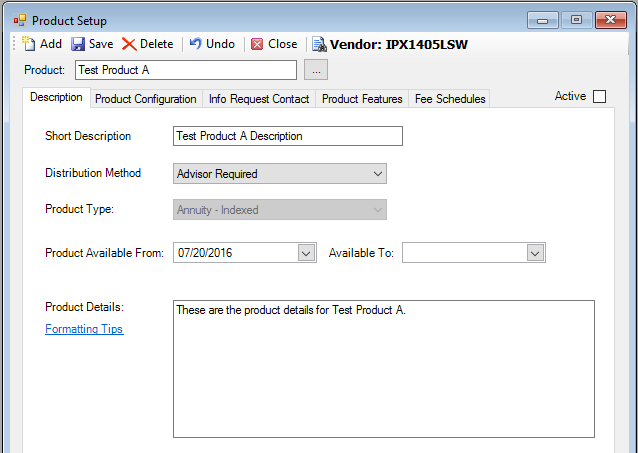
10. Go to the Product Configuration tab, and click the  icon.
icon.
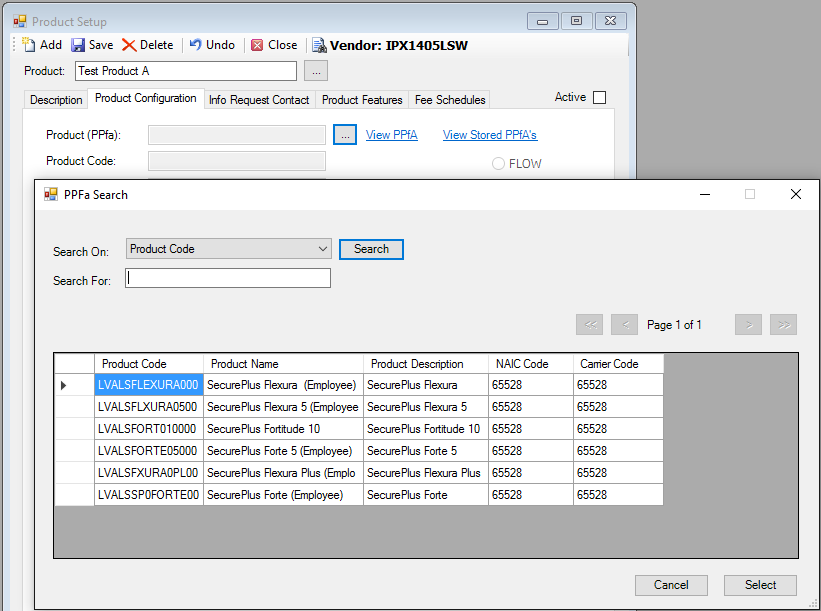
11. Highlight the appropriate PPfA for the
product and click <Select>.
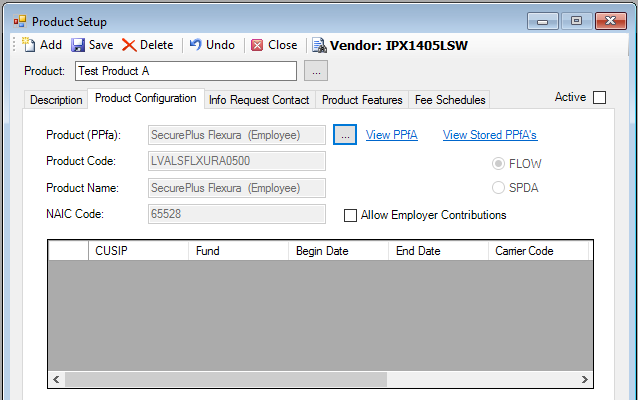
12. Add any additional information on the Info Request Contact or Product Features tabs.
13. When you are done entering all information for the product, click
the  icon.
icon.
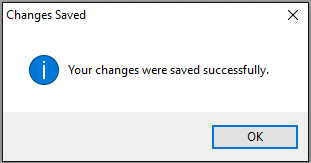
14. A message appears indicating that your changes have been saved.
15. To make the product
active, check the  check box and then click the icon again.
Note: You need to first save the product with the Active checkbox unchecked, and then check it and save again.
For additional instructions on how to set a Plan/Product to Open or Slotted, please click the following link: